Editor choice

Get Giveaway – OnlineTV 16 Plus for Windows – Lifetime – Serial number

Deal Score0
Deal Score0

Description

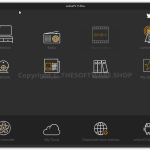
Windows allows you to watch live TV channels or streams on your PC, not just watching TV channels you can also listen to radio stations and access to a large library of music videos.

Not just letting you watch TV and listening to radio channels, the software also allows you to record TV Shows (supported formats: ASF, AVI, and MPG) and record audio in MP3 format

Specification Features

  • Live TV and streaming

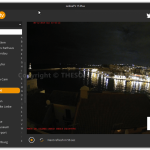
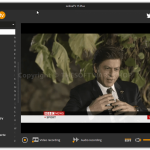
Watch live TV channels via the “Television” or “Live Streaming” modules.
You can also access many live foreign channels!

  • Radio Stations

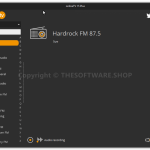
Listen as many radio stations as you wish via your PC – in just 1 click!

  • Music videos

The online TV gives you access to a large library of music videos.

  • Newspapers

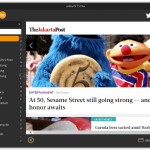
To follow the live news, just click on your selected newspaper and read the latest national or international headlines.

  • My TV

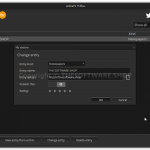
You can add and customize your list of favorite TV channels with the module “My TV”. Enter the address of the newspaper or TV channel and it will be automatically added to your playlists.

  • Recording

Record TV shows to watch later! Save it to access at any time. Furthermore, you can record TV while you are offline.

Supported recording format: AVI, ASF, and MPG

  • International Channels

Online TV 14 gives you access to both local and international channels. Access to worldwide news and TV in just 1 click!

  • Replay

Miss a movie or show? Just search for repetitions!

  • Search function

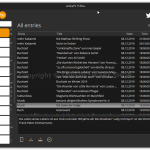
Search with full-text search, when a show or a movie comes.

Version 16 is:

  • Different formats with the video recorder:  With the formats AVI, WMV, MP4, and OGG in the current version you have the choice in which format the video recorder would like to save your recording
  • Customize Your GUI:  Anyone who wants a different design in onlineTV 15 can now switch to a brighter design, or simply choose their own font sizes … and your personalized onlineTV 15 is done.
  • OnlineTV 15 thinks:  every stream is only as good as the internet connection allows. If a stream was interrupted in earlier versions (eg radio hole on train runs), the stream had to be restarted manually. OnlineTV 15 now detects when the connection is over, stops playback and automatically resumes the stream as soon as it is possible.

How to Install

  • Click on Get this item button in this offering box and You will go to the registration page
  • If you are the existing users, you may use a different email which never used to register at Engelmann.
  • On the registration page, Enter your email address and give a check on ‘Agree to our privacy policy’ & ‘Subscribe to newsletter’
  • Click on ‘Request serial number’ and the confirmation link will be sent to your email
  • Open your inbox and read the email from ‘Engelmann Software GmbH’
  • Click on the confirmation link and you will receive the serial number for free
  • Download the program from this page above (on the download section) or here:http://downloadcluster.engelmann.com/onlinetv16_free_setup.exe
  • Install it & Run the program. Activate the Plus version with the serial number you’ve got
  • Done

System Requirements for Windows OS:

  • SupportOS: Windows® 2008 R2, 7, 8, 10 (32/64 Bit)
  • Internet Explorer® Version 8 or superior
  • Flash Player (16.0.0.305 or superior).
  • Windows® MediaPlayer 9 or more recent.

Giveaway - OnlineTV 16 Plus (serial number)

$0 $21.99
Last Day

Program version: v16

    • Period: Lifetime
    • Personal use only
    • No free update
    • No free support
    • New User Only (For the existing user, you can use another email that never used to register a key)

*No free upgrades/updates & Supports.

We will be happy to hear your thoughts

Leave a reply

Yo Offers: Digital Deals & Freebies
Logo