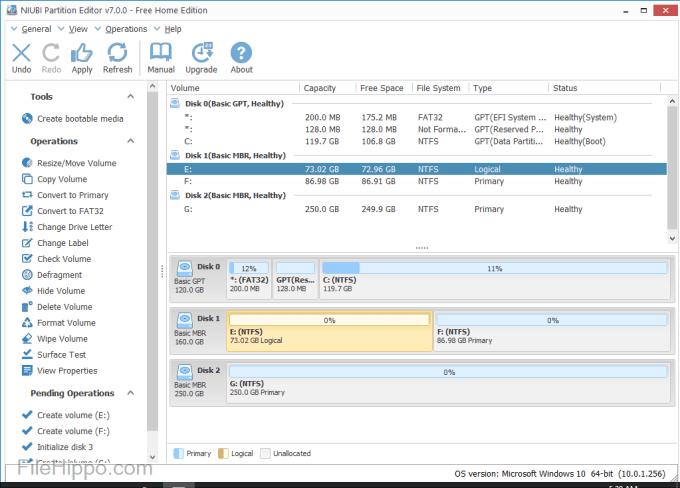
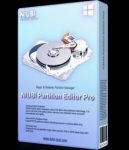
Specification Features is the most popular partition manager software for Windows PC. It is able to resize existing volume safely and perform a variety of disk partition management operations. This partition editor integrated unique Roll-Back data protection technology, which is able to automatically roll back the computer to the status before resizing in ONE second, if any software error or hardware issue occurred, so you don’t need to worry about data safety. The optimized file-moving algorithm helps resize partition at least 30% faster than ANY other tools.
Re-size Disk Partition
Shrink, extend, move and merge partitions to optimize space usage without losing data.
Partition Management
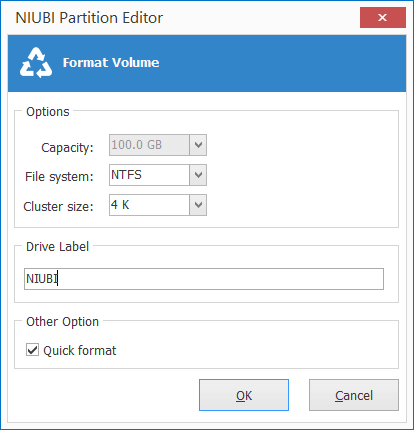
Create, Delete, Format, Explorer partition, Change partition label and drive letter, Set Active partition, etc.
Convert Disk Partition
Convert MBR disk to GPT, Convert Logical partition from/to Primary, Convert NTFS partition to FAT32.
Clone & Migration
Migrate OS to new disk, clone entire disk or single partition to back up or migrate data.
System Optimization
Partition defragment, Fix file system error, Scan bad sectors, Initialize disk, view disk/partition properties, etc.
Data Security
Hide partition, Set disk read-only attribute, erase data in disk/partition/Unallocated space.
Why NIUBI Partition Editor?
1 Second Rollback
Unique 1-Second Rollback technology to protect system and data, automatically reverts computer to original status in a flash if any software or hardware issue occur while modify disk partition.
Extend Partition Online
Shrink and extend disk partition without rebooting. (Close running programs & files before starting this program.)
Extremely Fast
Unique file-moving algorithm helps resize and move partition 30% to 300% faster than ANY other tools.
All-in-One toolkit
Full featured optimization & management solution for both PCs and servers. Most of your disk partition maintenance requirements can be fulfilled.
Virtual Mode
To avoid mistake, NIUBI is designed to work in virtual mode. The operations you do will be listed as pending, real disk partition won’t be modified until click Apply to confirm.
Multiple Storage Supported
Internal/External hard disk drive, Hyper-V, VMware virtual disk, all types of Hardware RAID arrays and USB flash drives are all supported.
How to Install
In this offering box, click on the BUY NOW button and you will download the installation file.
Once downloaded, Install it & launch the program after installing it.
Activate the software with the following license key:34E548021D3A0C51E55EC371B077DD451050C16C95ACB888DD78


 yooffers