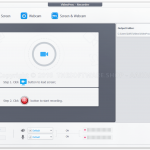
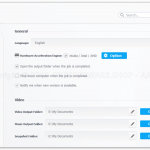
VideoProc Converter comes as the No.1 fast video processing software that peaks Level-3 Hardware Acceleration fully powered by Intel®, AMD® and NVIDIA® GPUs, delivering buttery smooth (4K/8K) video editing and transcoding without compromising quality.
Strongest yet easy-to-use video processing software that provides you the ultimate solution to convert videos, audios, and DVDs; edit, transcode, compress and adjust video files; download online media content; record screen and webcam.
As the greatly enhanced successor, VideoProc integrates a UHD video converter/compressor, (YouTube) video downloader with a video editor, giving you ultimate control over any multi-track, SD, HD, and 4K video files on your PC. With Level-3 Hardware Acceleration tech, it makes the utmost of Intel QSV, NVIDIA CUDA/NVENC, and AMD to encode and decode videos, which can averagely speed up video processing 47x faster than real-time! With VideoProc, you can edit, trim and resize 8K, 4K and HD videos at GPU speed.
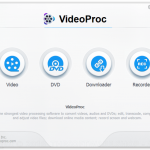
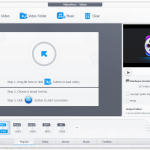
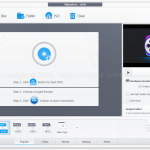
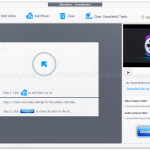
Both the interface and workflow of VideoProc is bare-bones compared with its competition. It requires no daunting learning curve or much setup. Novice or pro, you can convert, edit, rip, download, or record in no time.
Specification Features
Cut, Crop, Resize, Merge, Effects – simple editing polishes up your footages
Process 4K/HD videos from any devices like iPhone, GoPro, DJI, Cameras…
Convert video/audio/DVD, e.g. 4K to 1080p, MKV/HEVC to MP4, YouTube to MP3.
Built-in media downloader engine that supports 1000+ video/audio sites.
Capture computer screen and record video with webcam & make GIFs.
Keep the original quality at the smallest sized video.
Unique! Speed up by level-3 hardware accelerator
System Requirements
Operating System: Windows 7/8/8.1/10 , Mac OS X Snow Leopard, Lion, Mountain Lion, Mavericks, Yosemite, El Capitan, macOS Sierra, High Sierra, Mojave, Catalina (10.15), Big Sur
Memory (RAM): 4 GB of RAM required.
Hard Disk Space: 250 MB of free space required for full installation.
Processor: Intel Pentium i3, Multi-core GHz or higher.
How to install
Click on the Get this item button in this offering box in this offering box
You will go to the Download section on our deal page (opened in the new tab)
In the download section, click on the WINDOWS / MAC OS X Button where the software will be installed.
Once downloaded install it & launch the program after installing.
To activate the software, click on the Register button in the main interface toolbar.
Enter your own license key & use the following license code to activate the full version:
Windows users: DA3H6-C7RGU-XI2XZ-TJASF Mac users: DBKHZ-JFXIC-7TCKO-6VGFF
Windows Operation System: Windows 7, Windows 8/8.1, Windows 10. Both 32-bit and 64-bit systems are supported.
Mac Operation System: Mac OS X Snow Leopard, Lion, Mountain Lion, Mavericks, Yosemite, El Capitan, macOS Sierra, macOS High Sierra, macOS Mojave (10.14)
Processor: 1GHz Intel® or AMD® processor, or above
RAM: 1GB RAM (2GB or above recommended)
Free Hard Disk: 200MB space for installation
Graphic Card: 256MB RAM (512MB or above recommended)
Windows Operation System: Windows 7, Windows 8/8.1, Windows 10. Both 32-bit and 64-bit systems are supported.
Mac Operation System: Mac OS X Snow Leopard, Lion, Mountain Lion, Mavericks, Yosemite, El Capitan, macOS Sierra, macOS High Sierra, macOS Mojave (10.14)
Processor: 1GHz Intel® or AMD® processor, or above
RAM: 1GB RAM (2GB or above recommended)
Free Hard Disk: 200MB space for installation
Graphic Card: 256MB RAM (512MB or above recommended)



 yooffers