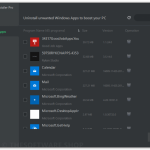
you can’t completely remove all components of the programs from your computer. And the control panel also doesn’t allow you to uninstall programs in batches. Here, DoYourData Uninstaller Pro 5 helps you easily and completely uninstall unless programs.
Windows professional uninstaller, you can easily uninstall programs, apps, or plug-ins from your computer. You don’t need to worry about any leftovers.
DoYourData Uninstaller Pro not only can uninstall selected software from your computer but it also easily removes all leftovers to save more disk space and boost your computer performance. DoYourData Uninstaller Pro supports uninstall software one by one and uninstall software in batches. It means it can help you uninstall single software or uninstall several software programs at one time.
Specification Features
Uninstall & Clean – Thoroughly uninstall programs and remove all related files, clean up all leftovers. It supports to uninstall even the most stubborn programs, crashed applications, Windows apps, plug-ins, etc.
Smart Uninstall – It allows you to uninstall programs one by one or in batches. You just need to select the programs you want to uninstall, then it will help you thoroughly uninstall them with a few clicks.
Safe Uninstaller – DoYourData Uninstaller Free is 100% safe and clean. It is fully compatible with Windows 2000, XP, Vista, 7, 8/8.1, and Windows 10.
How to install
Click on the DOWNLOAD button on this offering box
You will download the setup file
Once downloaded, Install the software & run it after installation
Use one of the following license keys to activate the PRO features- License Key
QDYL5-5QF34-R5PEN-3WWZ3-G65HF
Operating System Requirements
Windows 10 Windows 8/8.1 Windows 7 Windows Vista Windows 2000 Windows XP
Minimum System Requirements
File System: FAT 12/16/32, exFAT, NTFS, NTFS 5, ext 2, ext 3 Disk Space: at least 60 MB


 yooffers