Description
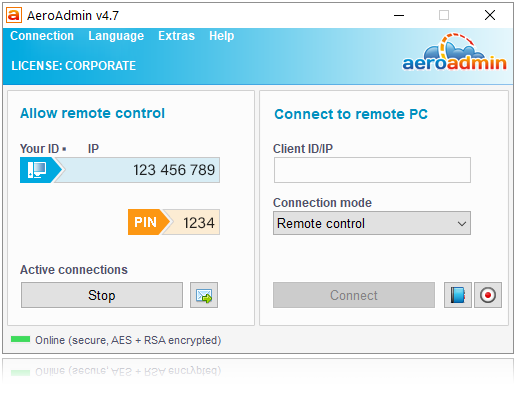
AeroAdmin is a free remote desktop software which does not require installation or configuration. It is ready for use right after downloading and easily connects computers in different local area networks, behind NAT.
Find out key AeroAdmin features below.
- Works without installation and configuration;
- Connects computers behind NAT;
- Branding + access rights preconfiguration (Corporate License);
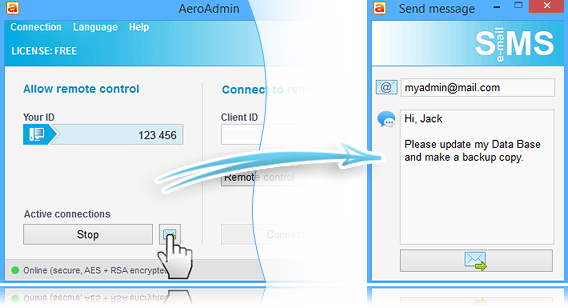
- Built-in ticket sending system for helpdesk;
- Small in size, portable;
- Secure File Transfer;
- Unattended access;
- Remote user logoff, reboot (including in safe mode);
- Total AES + RSA encryption;
- 3-factor authentication.
Specification Features
NO INSTALLATION OR CONFIGURATION
AeroAdmin is one application for both admin and client. To initiate a remote desktop connection you only need to download a small (about 2 MB) executable file and run it on local and remote computers. You will be able to take control of the remote partner PC in a couple of seconds.
CONNECTS COMPUTERS IN DIFFERENT LAN, BEHIND NAT
No matter how your computers are connected to the Internet and if they are located in one or different LAN. AeroAdmin automatically detects your network configuration and provides stable NAT pass-through connections. In addition AeroAdmin provides remote connection via a direct IP. No Internet access is required. no setup required
UNATTENDED ACCESS TO REMOTE PCS AND SERVERS
AeroAdmin can be configured to run on Windows startup so you are able to administer computers and servers without human presence on the remote side.
You can log off/switch remote users, or reboot the computer in normal or safe mode.
AES + RSA encryption
TOTAL AES + RSA ENCRYPTION
All data transmitted between the admin and client during a remote control session is end-to-end encrypted with AES and RSA algorithms. These cryptographic standards are widely used not only in data security and encryption, but also in digital signatures of bank and government systems.
FILE TRANSFER
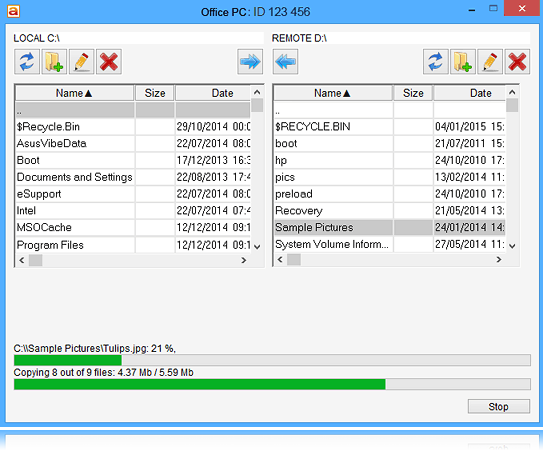
AeroAdmin allows full remote computer file system control. You can copy files and folders from/to a remote computer via an encrypted channel with ability to resume download/upload in case the remote connection gets interrupted.
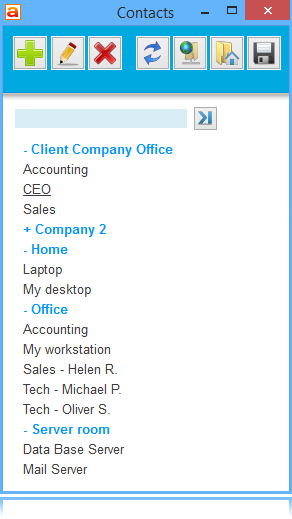
CONTACT BOOK
Store your contacts (remote computers ID/IP, names, additional info) and combine them into groups for instant remote access.
Place contact book file to a USB drive to always have it with you or save it to cloud folder to share and auto sync it between several operator computers.
BRANDING AND CUSTOMIZATION
Create your own branded copy of AeroAdmin. Setup your logo, place your company name and phone number in the main AeroAdmin window, setup a link to your website etc.
Preset access rights and password for your operator(s) straight in the executable file for easier access to remote PCs and installation of AeroAdmin on numerous remote computers.
SESSION REPORTS
Download client session reports (operator/client ID, name, date, time and session’ duration) for necessary period of time to calculate the payout based on your tech support rates.
EXTRA FEATURES
- Clipboard synchronization
- System keys transmission (Ctrl, Alt, Del etc)
- Auto-scaling, auto-scrolling
- Remote Windows lock (auto and manual)
- Remote reboot (normal and safe mode)
- Multi-monitors support
- Screenshots during session
- Auto update
- Multilingual interface (15+ languages)
transparent for firewall
TRANSPARENT FOR FIREWALLS
Don’t worry about firewalls and blocked ports – AeroAdmin will find a way to any remote computer.
extra features
PARALLEL SESSIONS
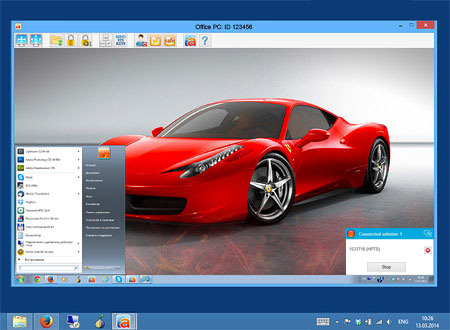
AeroAdmin establishes numerous simultaneous incoming and outgoing connections. You can remotely control or view screen of several computers at once as well as to have several remote admins connected to your computer
auto image/quality balance
AUTO IMAGE SPEED/QUALITY BALANCE
AeroAdmin automatically detects your actual Internet connection bandwidth and adjusts image speed / quality balance to provide the best possible performance. This guarantees quick response and smooth picture even on low bandwidth mobile connections. You can also manually configure this option as you need.access rights
FLEXIBLE ACCESS RIGHTS SYSTEM
You can choose several types of admin authorization: manual, by password, by ID + password.
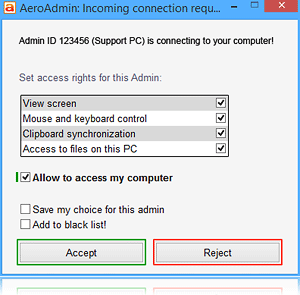
When an admin requests a connection, a client can accept or reject the incoming connection. Access rights can be easily configured to let admin with the current ID pass authorization in the future (unattended access).
How to Install
- Open AeroAdmin.exe included on the zip file
- Open the SiMS (Simple Message Service) Service. (It is an Envelope Folder icon beside “Stop” button)
- Type in noreply@aeroadmin.com and the message “GAOTD”.
- Press the Send Button.
- Click in the Menu. “Connection -> Restart” and your License will switch to PRO
Please note that the software you download and install during
the Giveaway period comes with the following important limitations:
1) It is only good for 6 Months and falls under PRO License
2) Availing/Extending the License would be for a full price
3) License obtained from GiveAway of the Day is NON-TRANSFERABLE and NON-RECOVARABLE (in case you reinstall your Windows and your AeroAdmin was reset)
4) Does not offer any in-depth tech-support
SUPPORTED OPERATING SYSTEMS
Microsoft Windows:
– 2003 / XP / Vista /7 /8 / 10
– Server 2003 / 2008(R2) / 2012(R2) / 2016
– 32 and 64 bit
Linux, Mac OS:
Works under WINE. AeroAdmin can be used to control remote Windows PC from Mac OS, Linux.


 yooffers