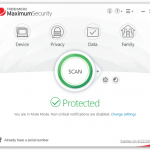
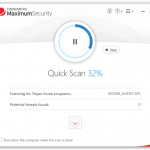
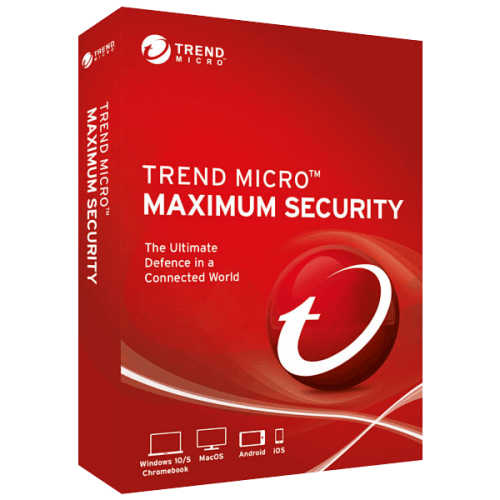
Is a full-featured solution for securing data on your computer and moving around the Internet. To detect the latest types of malware, Trend Micro Maximum Security uses artificial intelligence and machine learning technology, which allows you to quickly detect threats that have not yet been described
Get complete, multi-device protection against ransomware, viruses, dangerous websites, and identity thieves. An enhanced Folder Shield safeguards your valuable files and digital assets both locally and on cloud-synced folders like Dropbox®, Google Drive® and Microsoft® OneDrive® . Trend Micro stops more than 250 million threats daily(i), so you can enjoy your digital life safely In addition to protecting your computer from real-time contaminants and the ability to perform custom virus scans, Trend Micro Maximum Security has many other features.
Specification Features
Trend Micro Maximum Security
Fraud Buster – Utilize AI to identify the topic and to understand the intention of the scam email and warns you against it upon discovery. You can then delete it with confidence.
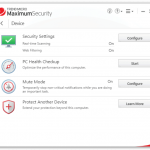
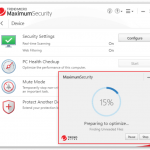
PC Health Checkup – Powered by Trend Micro’s Platinum technology, you can check for PIPs, security vulnerabilities, and clean up unneeded files to boost your performance.
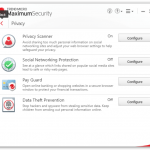
Pay Guard – Protected web browser adds an extra layer of protection when you’re banking or shopping online with Edge, Chrome, Firefox, or Internet Explorer.
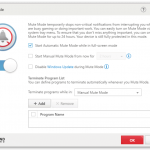
Gamer-Friendly Mute Mode – Temporarily stop non-critical notifications while you’re gaming or doing an important task, so you’re not distracted.
Fileless Malware Protection – Protect you against the latest coin-mining malware, which can hijack your computer’s resources to secretly mine cryptocurrencies.
Fileless Malware Protection – Improved protection against fileless malware infections from spam campaigns or malicious websites, which can alter the Windows Registry and execute in Windows PowerShell, delivering malicious payloads that execute within memory.
Tech Support and Phishing Scams – Protects against automated online scams that alert you with phony warnings in emails or when browsing to fake infections, or prompt you to call fraudulent tech support hotlines for purposes of hijacking your computer, to steal your identity data or your money.
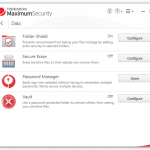
Enhanced Folder Shield. – Protects your key documents from modification by malware or encryption by ransomware.
Network Scan – Scan your network to detect unprotected devices, to alert you where you should install the unused seats in your multi-device license, to protect other members of your family.
Artificial Intelligence. – Hybrid blend of the latest threat protection techniques and infused machine learning, Trend Micro’s artificial intelligence capability, active in Trend Micro Security, is always adapting to identify and defeat new ransomware and other unknown threats.
Trend Micro Troubleshooting Tool. – makes it quick and easy for Trend Micro Support Professionals to make repairs and fix problems.
Privacy Protection and Social Networking Security
Privacy Protection for Facebook, Twitter, and LinkedIn. – an easy-to-use Privacy Scanner for social media, which identifies privacy settings that may leave your personal information publicly available and vulnerable to identity theft.
Privacy Protection for Browsers – A simple scan of Google Chrome, Internet Explorer, or Mozilla Firefox helps increase your privacy when browsing the web.
Facebook Application Privacy Scanner – Scans Facebook applications used and warns if the app is posting to your wall with too wide of an audience (Public).
Social Networking Security (SNS) Protection. – Protection from threats you may encounter from malicious links in Facebook, Twitter, MySpace, LinkedIn, Pinterest, Mixi, and Sina Weibo—the broadest and most effective SNS protection available on the market for consumers today.
Warn a Friend – Easily and quickly inform your Facebook friends when it identifies a malicious link, so they can delete it from their Facebook page.
Family Protection
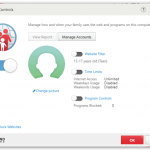
Parental Controls – Enhanced functions include program restrictions, which can be set by schedule; safe search filtering, which helps prevent adult content from appearing in search results; and blocking of untested websites, to increase security when browsing.
Data Theft Prevention
Data Theft Prevention (DTP) – Stop specific data, such as email accounts or credit card numbers, from being shared in Outlook outward-bound email or online forms.
Secure Erase – Overwrite and delete data from your disk, so it can’t be recovered.
Vault – Encrypt data on your hard drive and remotely lock it up if your laptop is lost or stolen; when the device is found you can then unlock that data.
Trend Micro™ Password Manager – securely store all your passwords and sensitive information, so you can access them when needed on PCs, Macs, and Android and iOS mobile phones and tablets. It’s automatically installed with Trend Micro Maximum Security, so you can get started easily, or you can purchase it separately.
Other Highlights
Smart Scheduled Scan – Trend Micro Security provides a Smart Scheduled Scan. Based on recent computer usage, the most suitable scan will start automatically at an appropriate time.
Screen Reader – Screen Reader support is now available for visually-impaired users.
Intensive Scan Switch – Automatically increases the protection level only when you need it – for intensive scans when your computer is infected.
Search Results Rating – When you conduct a search on the internet the search results give you a list of URLs, proactively highlighted.
Manual URL/Link Scanner – As with SNS, when you hover your mouse over a link in search results, the manual link scanner rates the safety and reputation of any links on the web page.
Mobile Security for Android and iOS – Trend Micro Maximum Security includes Trend Micro Mobile Security for Android and iOS, for the protection of your mobile devices.
Windows 10 compatibility – Trend Micro Security is fully compatible with Microsoft’s Windows 10 operating system, with backward compatibility with Windows 8.1 and 7.
Clean User Interface
Easy to Use – Trend Micro Security provides a clean interface design.
Both easy-to-use and powerful, the Trend Micro Security Console provides all the tools you need at the touch of a mouse or a tap of a finger to easily configure your solution to meet your security needs.
Conduct scans and obtain reports that let you know just how Trend Micro Security is protecting you.
Note:
If you have to enter a serial number after installation, you may uninstall it & reinstall using the following installer:https://v2.rethink.software/cloud/sharing/116d2fae-90a7-442f-8d1a-c8b2dab9aad7
You may use a VPN connection before installing it and change the location to the USA or EUROPE region to prevent the blocked region.
How to Install:
On this offering box, click on the Get this item button and you will go to the promotion page
On the promotion page, click on the button ‘FREE 6-month Download’ in the ‘Maximum Security (Windows)’ section to download the program
Trend Micro Maximum Security is installed in a completely standard way through a wizard, in which you only need to confirm your agreement with the license terms of the program.
In the second step, leave the ‘Trial version’ option checked.
At the end of the installation, you enter only your e-mail, and then Trend Micro Maximum Security automatically will automatically activate start protecting your computer.


 yooffers