
 yooffers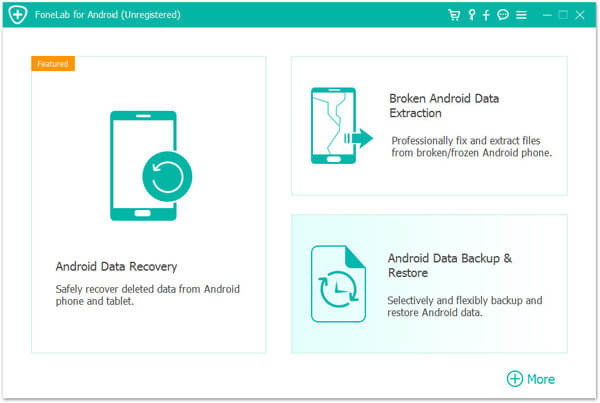



Specification Features
Android data recovery made easy on
Windows and Mac

Recover deleted SMS messages, contacts, call history and WhatsApp chats from Android.
Recover photos, music, videos and WhatsApp attachments from Android smartphone / tablet.
Android data recovery for most devices from Samsung, HTC, LG, Huawei, Sony, Motorola, One Plus, etc.
Export and backup deleted and existing files from Android device to PC or Mac.
Recover deleted files from Android – in many scenarios
There are many unexpected scenarios that can lead to data loss on Android / device. For example, if you accidentally deleted important files, or the files were lost after a virus attack or system failure. With this professional Android data recovery software, you can quickly recover your lost or deleted SMS, contacts, call log, pictures and other files.
- Wrong treatment
- Accidental deletion
- Root error
- damage
- Virus attack
- System crash
- Forgot Password
- SD card defective
Android data recovery in case of emergency
Recover deleted SMS, contacts, call history from Android
FoneLab Android Data Recovery is the best assistant for Android users and can get back deleted or lost text files
like SMS messages, contacts and call logs from Android.

You can easily recover deleted contacts with full details like name, phone number, email, job title, address. And the recovered contacts are exported as VCF, CSV or HTML for further use.
Did you delete important call logs before saving the contacts? This Android data recovery software can directly recover the contents of the call history like name, phone number, date, duration. You can then save the call history as HTML and view it in the web browser.
Have you accidentally deleted your text messages? No worries. The Android data saver recovers deleted SMS messages (texts and attachments). With one click you can retrieve deleted SMS and save it as CSV or HTML.
Recover WhatsApp, Photos, Music, Videos, Documents from Android
Photos, videos and sound recordings contain beautiful or important memories. If you have deleted the important data on your Android device,
you will definitely want to take it back. FoneLab Android Data Recovery is the right tool for you.

No matter you downloaded some pictures from the website or took photos with the phone camera, you can easily recover the deleted pictures from Android with FoneLab Android Data Recovery.
Have you deleted a WhatsApp history with your friends and lost chats, pictures, video / audio? Now you can recover WhatsApp messages from Android smartphone with this Android data recovery software.

Has a recorded party video been lost? Do you want to get the video back on the Android device? Android Data Recovery Tool can safely recover deleted video files from smartphone or tablet.
Have important documents been deleted from your Android phone or SD card? FoneLab for Android enables you to recover deleted documents in Word, Excel, PPT, PDF, HTML, Zip, RAR or other formats from Android.
Recover deleted data from SD card
If you have an SD card in your Android smartphone, the software can also restore deleted data from the SD card. FoneLab Android Data Recovery supports both cell phone storage and SD card. After formatting the microSD card, lost data can be recovered quickly. But the files on the SD card can easily be overwritten by new data.
FoneLab for Android supports data recovery from
 Internal memoryScan the whole Android device and search for deleted data
 SD cardScan the microSD card from the Android smartphone and rescue deleted files
 SIM cardRestore data from the SIM card (Subscriber Identity Module)
How to Use FoneLab Android Data Recovery
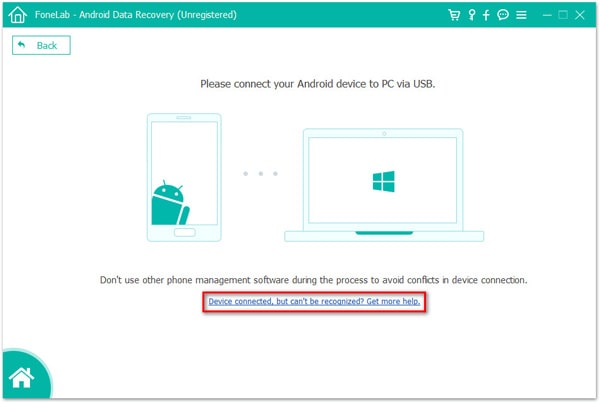
- Step 1: Connect your Android device to the computer with a USB cable.
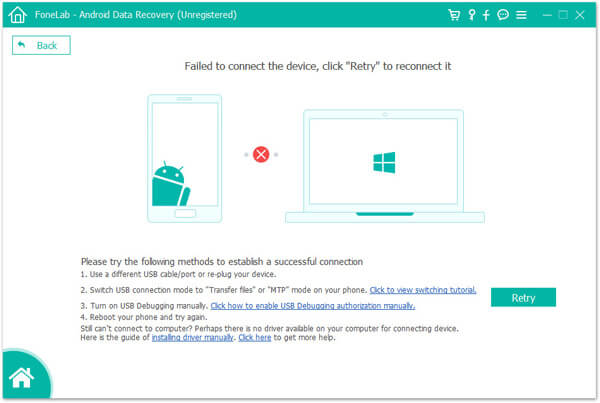
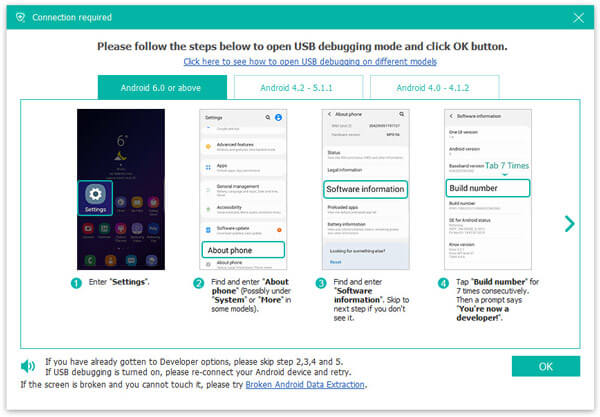
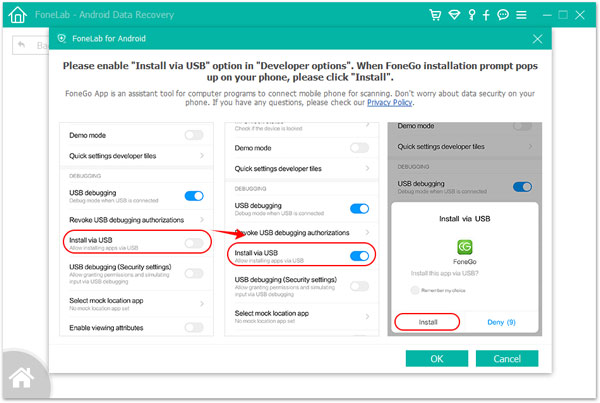
- Step 2: Enable UBD debugging on the Android device. Then the software will recognize the device.
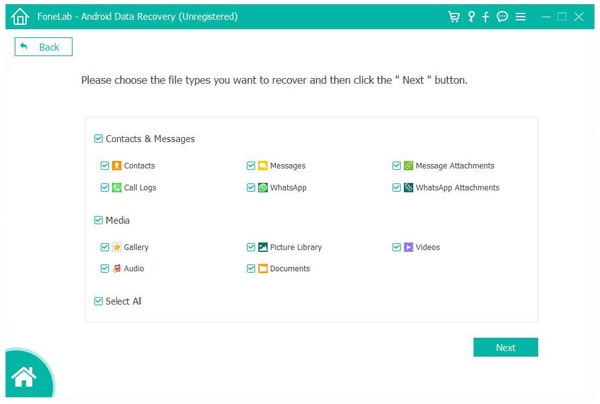
- Step 3: Choose the file types you want to recover and click “Next”.
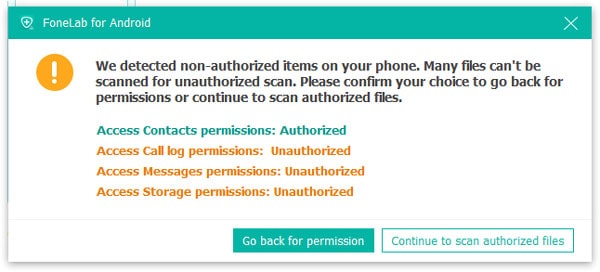
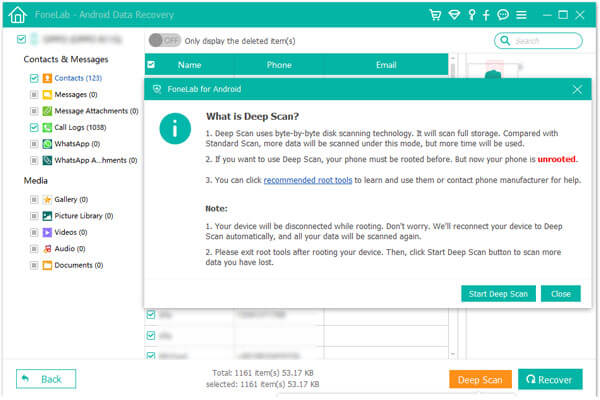
- Step 4: Now the software will try to root and then scan your Android device.
- Step 5: After scanning, select the files you want and click “Recover”.
Technical specifications of FoneLab Android Data Recovery
FoneLab Android Data Recovery supports numerous Android devices from Samsung, Sony, HTC, LG, Huawei, Google,
and Android operating systems up to 8.1. As long as your Android device is rooted, you can recover deleted data.
| Supported Devices |
 Show supported devices |
|---|---|
| Android version |
Android 9, Android 8.1 / 8.0, Android 7.0 / 6.0 / 5.1 / 5.0 / 4.4 / 4.3 / 4.2 / 4.1 / 4.0 |
| Supported files |
contactsSMSimagesVideosmusiccall logWhatsappDocuments |
| System requirement |
Operating systemsWindows 10 / 8.1 / 8/7 / Vista / XP, Mac OS X 10.7 or higherCPU / RAM1 GHz Intel / AMD CPU or faster 1 GB RAM or moreHard disk space200 MB free memory |
How to install
- In this offering box, Click on Get this item button and you will visit the registration page by Aiseesoft.de
- The registration page is in German, You may need a translator.
- On the registration page, Fill in the form with your name & email address
- Check on ‘Datenschutzrichtlinie zustimmen’ and then Click on the ‘REGISTIEREN’ button to finish the registration
- The registration code will be sent to your email address
- Download the installation file from our page above (On the download section)
- Once downloaded, Install it & Launch the software after installation
- Use the registration code you received to activate the full version.
- Done.

Get Giveaway -FoneLab Android Data Recovery - 1-year License
Software version: V3.1.26
✅1-Year License
✅Free Software Updates
✅No Free Support
✅No Re-installation
✅Personal use only





