Burn files to single or multiple CDs, DVDs and Blu-ray discs
Copy CDs, DVDs and Blu-ray discs
Burn scratch-protected discs
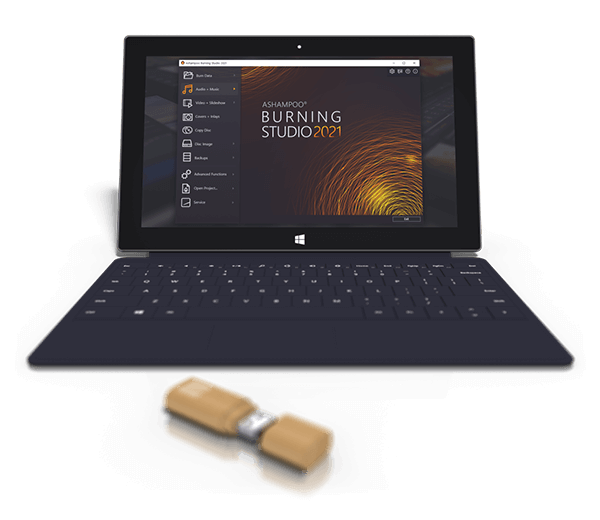
Back up cellphones, tablets or other external devices
Create audio CDs
Design and print covers and inlays for all disc types
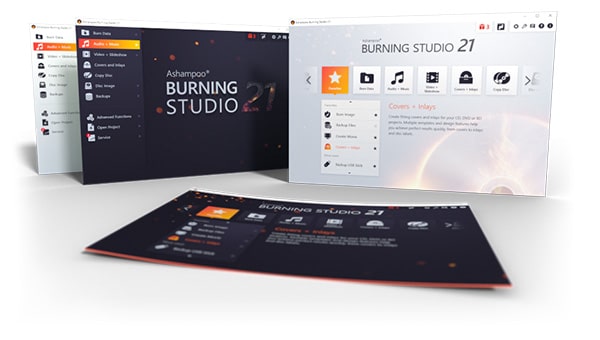
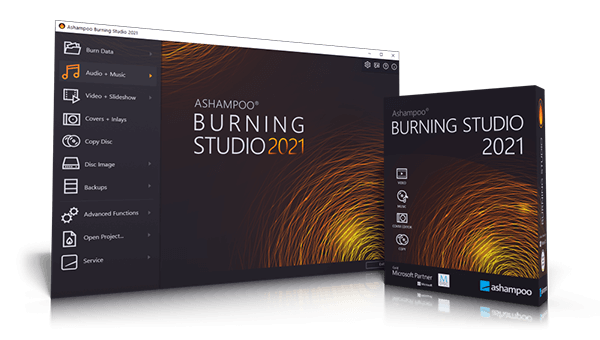
Sleek new user interface
Quick and reliable way to burn movies, music and files to any recordable disc. Aside from data backups, this burning program also extracts audio from music CDs and creates stylish covers and inlays.
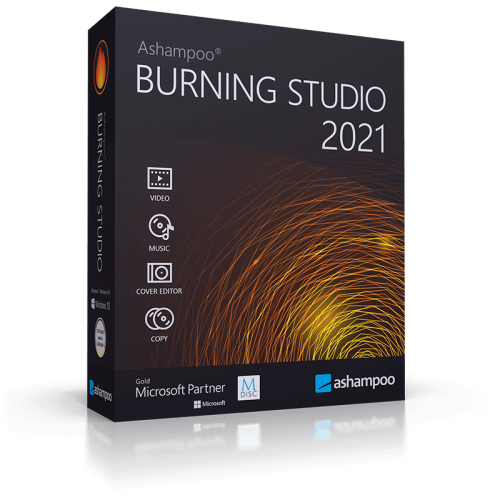
Ashampoo Burning Studio 2021 is a powerful disc burning software for CD, DVD and Blu-ray discs. The software quickly burns files, audio and video to all recordable disc types but also specialized media such as BDXL or M-Disc. The built-in disc ripping auto-detects track names and easily turns audio files into custom audio discs complete with individually designed covers and inlays. Playlists can be auto-generated during ripping for easy playback in the desired song order. The program can also finalize discs to make them playable on older retail players or car radios. Built-in disc spanning automatically spreads data across multiple volumes if it can’t fit on a single disc. This makes it easy to burn entire photo, document or song collections to disc. The excellent support for ISO and CUE/BIN along with the integrated image preview during creation and browsing will especially be appreciated by frequent disc image users. Ashampoo Burning Studio 2021 also includes backup features to save data of any file type to disc, flash drive or external hard disk. The 1-click backup tool takes care of External files, e.g. from USB sticks or tablets. Also included is the option to apply scratch-protection to ensure data recovery from discs with heavy surface damage. Version 2021 comes with a new skin and various improvements in the areas of burning, copying and disc ripping.
Burn files and folders
Scratch protection for always accessible data even with damaged surfaces
●
M-Disc support
●
BDXL support
IMPROVED
Disc spanning to automatically split huge amounts of data across several discs
●
Subsequent finalize CD, DVD and Blu-ray discs
●
Create CD/DVD/Blu-ray discs with autostart capability
●
Create data discs with autoplay menus
●
Create CD, DVD and Blu-ray data discs
●
Update existing discs and add/remove files and folders
●
Erase rewritable CD/DVD/Blu-ray discs such as BD-RE and CD-RW discs
IMPROVED
Internal program features and functions
Burn password-protected discs
●
Online cover searching also for unknown tracks
IMPROVED
Fascinating mosaic covers
●
Improved selection of burning settings
●
Custom user interface skins
●
Cover Studio: design and print booklets, cases and labels
IMPROVED
Use your own background image
●
Media analysis
●
New customizable file browser for improved navigation
●
Burn movies
Create video Blu-ray from prepared folder
●
Create video DVD from prepared folder
●
Create Video CD (VCD)
●
Create Super Video CD (VCD)
●
Disc images
Create disc images from CD/DVD/Blu-ray discs
●
Browse disc images
●
Create disc images from projects
●
Added support for CUE+MP3, CUE+Flac and CUE+Wav
●
Burn music
Adjust volume and normalize MP3 and WMA files
●
Supported file format:APE
●
Create playlists during audio disc ripping
●
Supported file format: OPUS
●
Cover artwork auto-retrieval during audio disc ripping
IMPROVED
Rip to FLAC and OGG
●
Create audio CDs
●
Create and burn audio CDs from playlists
●
Support for 96kHz sampling
●
Include meta data in audio conversion
●
Export track lists
●
Create MP3 and WMA CD/DVD/Blu-ray discs
●
Extract audio from audio discs
IMPROVED
Backup files and folders
Backups from mobile devices such as smartphones and tablets (e.g. iPod, iPhone, iPad and Android devices) at the click of a button
●
Create file and folder backups
●
Compress and encrypt backups
●
Advanced functions
Create modified copies of CD/DVD/Blu-ray discs
●
Define file system (ISO/Joliet/UDF)
●
Create bootable disc
●
Set emulated boot environment
●
How to install
In this offering box, click on the Get this item button and You will go to the registration page by Ashampoo.com
On this page, fill in the form with your email address
If you already have an Ashampoo account, please enter your password and log in.
If you don’t have it, please follow the instruction from Ashampoo to register an account.
Once logged in, you will get the full version key
Download the installation file from this page:https://cdn1.ashampoo.net/public/ashglob/5910/ashampoo_burning_studio_2021_32189.exe
Once downloaded install it & Launch the program after installation
The register windows will be displayed, enter your email to activate the full version.
Once logged in, the full version will be activated.


 yooffers