Home » Giveaway – VidJuice UniTube – Video Downloader – Windows -Download videos & audios from 1000+ popular websites -MP4 /MP3, – more pupular formats
Editor choice
Giveaway – VidJuice UniTube – Video Downloader – Windows -Download videos & audios from 1000+ popular websites -MP4 /MP3, – more pupular formats
dedicated to providing powerful and handy tools which allow you to effectively download videos, audios, and playlists in a range of formats, including MP4, MP3, M4A from multiple sources. You can download videos in 240p, 360p, 480p, 720p, 1080p, 2K, 4K, 8K resolutions at fast speed and schedule downloads. Once downloaded successfully, you can convert to MP4 or MP3
install and launch the VidJuice UniTube software. Open the desired streaming website, such as YouTube, through your system browser. Copy the URL from the video you wish to download.
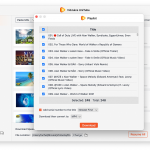
In the VidJuice UniTube video downloader window, Choose the “Preferences” from the menu and select the desired output format and video quality for the video you would like to download. Then paste the URL link by clicking ‘Paste URL’.
your videos have finished downloading, you will be able to locate the video downloads in your selected file location path on your computer. The ‘Finished’ tab will also enable you to search and manage your video downloads.
Specification
Support 1000 popular sites
Download videos, audios, playlists, and channels
Wide-format support: including MP4, MP3, M4A and more
Capable of saving HQ, HD, 4K, or 8K for videos
Extract, or burn subtitles of YouTube videos
Simple Batch Downloading
Bitrate up to 320kbps for audios
Blazing fast download speed
Stable downloading process without ads or interruptions
Unlimited downloading tasks and length
Pause, resume, or cancel your downloads at anytime
Easily manage the downloaded videos in the libra
System requirements
Windows Computer Windows 10/8.1/8/7/Vista/XP
Mac Computer macOS 11 (Big Sur), macOS 10.15 (Catalina), macOS 10.14 (Mojave), macOS 10.13 (High Sierra), macOS 10.12 (Sierra), OS X 10.11 (El Capitan), OS X 10.10 (Yosemite), OS X 10.9 (Mavericks)
Browers Compatible with all the popular browsers, such as Chrome, Safari, Firefox, Opera and more
How to instal
On this offering box, click on the Get this Item button and you will go to the registration page
On the registration page, fill in the form with your name & email address, then click on the ‘GET LICENSE’ button
The license key will be sent to your email address within a few minutes.
Download the software from our deal page (on the download section above)
Once downloaded, install it & Run the program after installing.
In the program interface, click on the Register button in the right corner.



 yooffers