Smarter and more flexible software based on the Windows platform for iOS data transfer and backup.
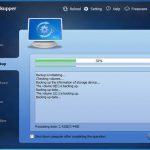
To prevent your files from data loss, the best way is to back up your iPhone with “MBackupper”. It can protect your important data in case of any damage happening to your phone, missing files due to software upgrade or factory settings of your device, etc.
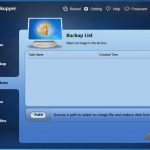
You can backup data on the iPhone to your computer. When the data in the device is accidentally deleted or lost, or when you need to transfer data to a new device, you can restore these data from the computer to the device.
Specification Features
Backup & Restore
Backup iPhone to computer – Easily backup all iphone data like photos, videos, music, contacts, and messages from iPhone to PC.
Backup iPhone photos – Backup all iphone photos, including the pictures you take with the iPhone camera or save from other apps.
Backup text messages – Backup Important notifications, schedules, chats in the text message to your PC
Backup iTunes library – Simply backup Purchased or downloaded music to computer to release iPhone storage and they could be easily restored when needed.
Selectively Backup & Restore – Select & Preview photos, messages, or contacts before phone backup or restore.
Incremental Backup Type – Speed up the backup process and dramatically save backup storage for you.
Safe & Quick Restore – Transfer process will be completed in a very short time and other data in the same place will not be deleted or overwritten.
iPhone Transfer
Transfer iPhone to PC – Transfer iPhone data like Photos & Videos to you PC for view or post-process photos and videos on computer.Transfer iPhone to iPhone – Freely Transfer fully or partially migrate iPhone.
Transfer iPhone contacts – Transfer contact numbers, avatars, emails, attached web pages, etc. to PC or another iPhone
Transfer iPhone videos – Export videos to your PC & they could be quickly transferred back.
Soon
Full Backup and Restore – Support Full Backup & Incremental Backup and restore iTunes Backup.
Backup WhatsApp Data – Support backup WhatsApp chat history ( include photos, videos ),contacts & call logs.
HEIC Converter – Convert images from HEIC to JPG or PNG format.
Backup & Transfer More App Data – Support backup and transfer more App data(e.g. Notes, Mail, Reminders, Voice Memos).
User-friendly Data Browser – Easier and faster to browse your iPhone data on Windows PC.
Unlock iPhone Passcode – Reset your iPhone passcode If you forget.
How to install
In this offering box, click on the BUY NOW button and you will download the installation file.
Once downloaded, Install it & launch the program after installing it.
Use the following license key to activate the Professional Edition:MBPR-L7LO7-PQFZ0-BVOEG
If you see an error on the registration program, just restart the program and the software will turn to the Professional Edition.


 yooffers