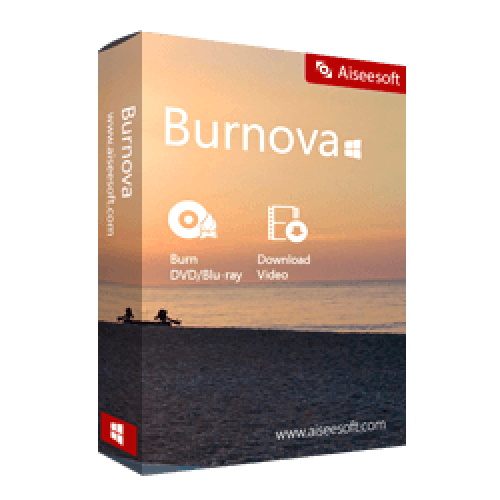
Get Giveaway : Aiseesoft Burnova – 1 Year/1 PC License (windows) -The Best Blu-Ray Burner and DVD Burner Software

Deal Score0
Deal Score0

DVD/Blu-ray disc as the gift for your lovers? Wish to your favorite online movies into the DVD/Blu-ray disc for long playback and preservation? Aiseesoft Burnova is the exact tool to help you realize your dreams. Burnova is the professional DVD/Blu-ray burner to create local videos from computer and makes online movies from YouTube, Vimeo, etc. to DVD/Bluray disc/ISO/folder.

Aiseesoft Burnova affects people’s life greatly. This disc burner helps over 300,000 users to burn video to DVD, and Blu-ray Disc to your computer in simple clicks.

Features Available

  • Burn video to DVD disc/folder/ISO file
    • Create DVD disc/folder/ISO file from the local video.
    • Make movies to various DVD types, like DVD-R, DVD+R, DVD-RW, DVD+RW, DVD+R DL, DVD-R DL, DVD-5, DVD-9, etc.
    • DVD converter to burn ISO file or DVD folder to DVD disc or make ISO file/DVD folder from various videos.
  • Burn video to Blu-ray disc/folder/ISO file
    • Put your HD video from camcorder into Blu-ray disc
    • Burn your Blu-ray file or ISO folder into Blu-ray disc
    • Burning movies to Blu-ray-25 and Blu-ray-50, so you can play it on your PS3, Sony, LG, Samsung, Philips Blu-ray player.
    • Burn the movies into Blu-ray folder/ISO file to play on your portable Blu-ray player.
  • Burn DVD/Blu-ray Disc with various menu templates
    • Provides you various templates (holiday, family, travel, wedding and more styles) to specify your different type movies or videos.
    • Add your own images as the background to tell your own story for the video.
    • For the title, menu and play button, you are allowed to edit or drag the buttons
    • For the opening film, you are capable of importing your favorite video clips.
  • Edit videos before burning DVD/BD
    • Edit your DVD before you burn it with the built-in editor.
    • Rotate, flip, clip, & crop your videos.
    • Adjust the video brightness and contrast
    • Watermark the video
    • Realize special video effects in the video with Burnova.
    • The blur, sharpen, gray, sketch, canvas, mirror, sculpture, emboss and pixelate effects
  • Make DVD/Blu-ray Disc from various video formats
    • Compatible with almost all video formats for DVD/BD making.
    • You are able to import video from MP4, AVI, WMV, MKV, M4V, MOV, M2TS/MTS, 3GP, VOB, FLV, MPEG, MPG, DV, RMVB, TOD, ASF, etc.,
    • Even HD MPEG2, HD MPEG4, HD WMV, HD TS, HD MTS, HD TRP, and HD TP video files.
    • Add an external audio track from MP3, AAC, AIFF, FLAC, WAV, WMA, OGG, AC3, MPA, MP2, etc.
  • More Features
    • Burn for TV – Enable the created DVD/BD to play on your different TV standard between NTSC and PAL.
    • Add Subtitle – Edit the subtitle or add SRT, SUB, SSA and ASS subtitles
    • Fast Burning – Supporting Intel, CUDA, and AMD acceleration, Burnova shows you the fast speed for Blu-ray burning (Coming soon).
    • Preview – Provides the real-time preview effects so that you can check and adjust the video effects duly.
    • Update – This burning software updates frequently and automatically to bring you more enjoyable features.
    • Easy Use – Burnova is a powerful but easy DVD/Blu-ray Disc burning software with simple steps to create videos.

How to Install

  • Click on Get this item  button in this offering box and You will visit the registration page
  • The registration page is German, you may need a translator
  • On the registration page, Enter your Name & Email address
  • Give a checkmark on the ‘Datenschutzrichtlinie zustimmen’ and click on the REGISTER button
  • The registration code will be sent to your email
  • Download the program from this page above (on the download section)
  • Once downloaded, Install it & Launch the program after installing it
  • Use the registered email & the registration code you’ve got to activate the full features
  • Done. full features


Aiseesoft Burnova - 1 Year/1 PC License

$0 $35.95
Last day

Specification Additional
Software Version: Latest Version

    • License period: 1 year
    • No Free Update
    • No Free Support
    • Personal use only
    • No Re-used*
We will be happy to hear your thoughts

Leave a reply

Yo Offers: Digital Deals & Freebies
Logo