

Giveaway > Free License Key -Transparent photo background eraser – Apowersoft Background Eraser
 yooffers

Description
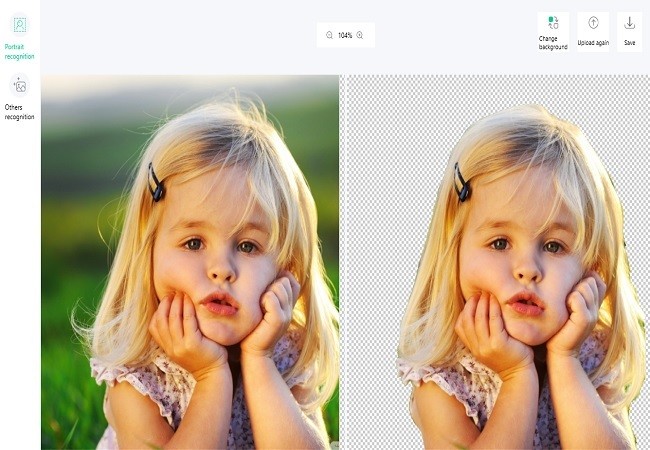
Apowersoft Background Eraser is a versatile program that uses AI technology to automatically and precisely remove background from image in a few seconds. It works for almost all kinds of real-world photos and graphics, including persons, products, animals, cars, homes, trees, texts, logos, icons, stamps, and many others. To learn more about the functions of this program, check the content below.
Specificaiton Features
- Automatically remove background within seconds
- Clever AI precisely removes image background
- Large library of templates for different uses, including marketing, e-commerce, media, developers, photographers, and individuals, etc.
How to get Apowersoft Background Eraser for Free?
Step 1. Download Apowersoft Background Eraser

Step 2. Install the software on your computer and open it.
Click the Account icon, register, and log into the program (if you already have an Apowersoft account, you can directly log in). Activate it by the license key below:

7A22C-6D91Q-53BCN-53167
The VIP account will be automatically activated, you have 300 images plan for free.
https://download.apowersoft.com/down.php?softid=backgrounderaser
- This is a 1-computer 300-images lifetime license, for commercial or noncommercial use
- You get free updates
- You get free tech support
- You must redeem the license key before this offer has ended
- May not be resold





