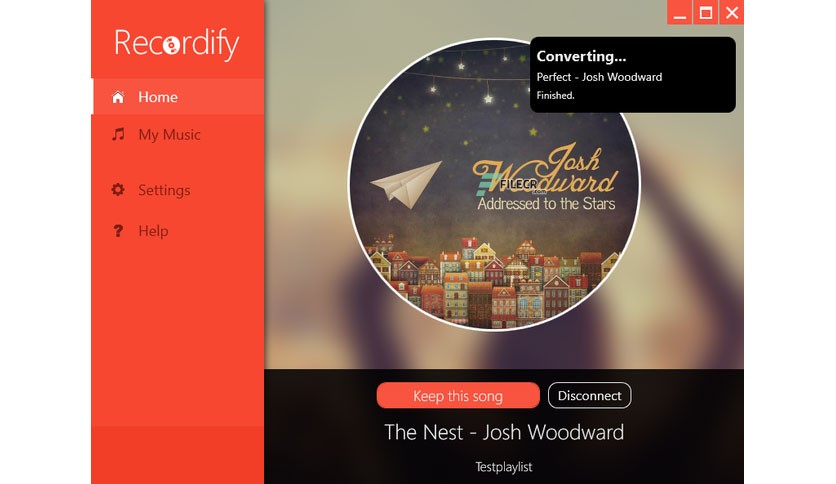
The strongest aspect of the program is the recording of entire music libraries and playlists from streaming services such as Spotify, Google Play Musicor Deezer, despite the absence of a paid version that is the only one for these services to allow downloads.
The program works as a live recording and saves each song to a separate MP3 or FLAC file. However, you can also record music or any audio directly from your computer’s sound card.
The program has the advantage of isolating the recorded audio track over another way of recording, so you can still use your computer normally during recording. When recording from streaming services, the program can automatically obtain information about the songs being played and save them individually as separate files.
Recordify 2021 Plus works as a live recording and saves every song as a single MP3, WAV or FLAC file. It’s brilliant! The entire music library – saved with just one click. The software also offers the option to record as „Stereo Mix.
Converter «can choose between classic lossy MP3 and FLAC. In the settings, you can select a bitrate from 92 to 320 kbit for MP3 and a ratio between file size and CPU usage on a scale from 1 to 7 for FLAC.
Specifaction Features
Download Music – Download a single song or an entire playlist with recording all songs to files.
Quality – Music quality depends on the streaming service used. Enthusiasts use high quality settings of up to 320 kbps.
Formats – The music downloaded by Recordify can be saved as the MP3 file, WAV, or in the premium quality file format FLAC.
Choose the name – You can choose different file names such as Artist – Title, Artist – Album – Title, etc.
No ads – Deletes ads between songs automatically.
How to Install
In this offering box, click on the ‘Get this item‘ button to visit the giveaway archive download page
On this page, go to number 50. Recordify 2021 (v2021.6.03) and click on the download link to start downloading the program
Once downloaded, install it& launch the software after installation
After the first launch, in the pop-up window, fill in your valid e-mail address, name, and surname,
Mark the acceptance of the license terms and continue with »Get free unlock mail now«.
If you have previously installed and activated one of the other full versions of Abelssoft on your computer, the program will be activated automatically
If your manufacturer account information is incomplete, you will be prompted to complete and accept it.
For brand new registrations, you will receive an email with the verification link you need to click on the address provided.


 yooffers